Renova: details
Renovation under control
- Monitor
- Tablet
- Phone
- Stage
- Prototype
- Audience
- Owners renovating, contractors and crews
- Data checked
- 2026-11-16
Who it is for
Owners renovating their property, and the contractors and crews who do the work. Each role has its own screen and its own responsibilities.
What it is
An iPhone-first app: the client runs a renovation from the estimate to sign-off of the last stage. Conversations with contractors are tied to the stage, and materials and documents sit alongside.
Modules
Estimate
Norm-based line items, versions, plan-versus-actual comparison
- Decision supported
- What the renovation should cost and what it includes
- Effect
- Changes to the estimate show at once, not after an overspend
Work stages
Sign-off, photo evidence, links to estimate line items
- Decision supported
- What is done and has been signed off by the client so far
- Effect
- A dated photo settles a dispute over completion, not one word against another
Money
Stage payments, receipts, self-employed status (the Federal Tax Service check is still a simulation)
- Decision supported
- Whether it is safe to pay for this stage and this contractor
- Effect
- Before paying, you can see whether the stage is signed off and the contractor checked
Conversation
Discussion tied to a specific stage rather than a general chat
- Decision supported
- Which stage the conversation is about
- Effect
- Conversations do not drown in a general feed or drift from the work actually done
Scenarios
- Estimate
- Version approval
- Work on the stage
- Photo evidence
- Sign-off
- Payment
- Next stage
Roles
Client
Sees the whole estimate, its versions and deviations, stage status and payment history. Signs off a stage or rejects it with a comment.
Contractor or crew
Runs their own area: photographs the stage, requests sign-off and confirms receipt of payment.
Renovation company
Runs several sites at once and sees the estimate, stages and payments for each.
What already works
- Norm-based estimates with versions and plan-versus-actual comparison
- Work stages: handover and sign-off, photo evidence, technical supervision, warranty claims
- The payment flow is built; live payments are not connected: payment schedules, confirmation with evidence, disputes, invoices for extra work
- Client, contractor and link-based guest roles; chats per project and stage; a notification centre
- Project participant management and turning a lead into a project
- Purchasing and materials with prices, documents, and offline use with a queue of actions
- Receipt and self-employed status checks via the Federal Tax Service: worked out on a simulation; the live check goes on once access is granted
What is next
- Preparing a trial version for the first users
- Completing the independent contractor flow
- Safely resending queued actions after a dropped connection, with no duplicates
- Reviewing every screen and fixing what turns up
- Server deployment and a closed test on real projects
- Live payments and the “My Tax” service for the self-employed
- Push notifications on phones
- App Store publication after legal preparation
Looking for. Contractors, crews and clients for a closed test on a real site — and investors and partners to develop the product with me, from the closed test to market launch.
What is new in development
Client consent to scope, VAT and refunds in the budget
In preparation: the client approves an exact version of the work scope with an amount cap; refunds in the budget are fixed; VAT rates of 7% and 22% are no longer reset; progress is calculated one way; signing out on one device revokes only that device.
Next: Check money, permissions and approvals on a test database.
as of 7 November 2026. The video shows the earlier version, without the new approvals and payments.
Gallery
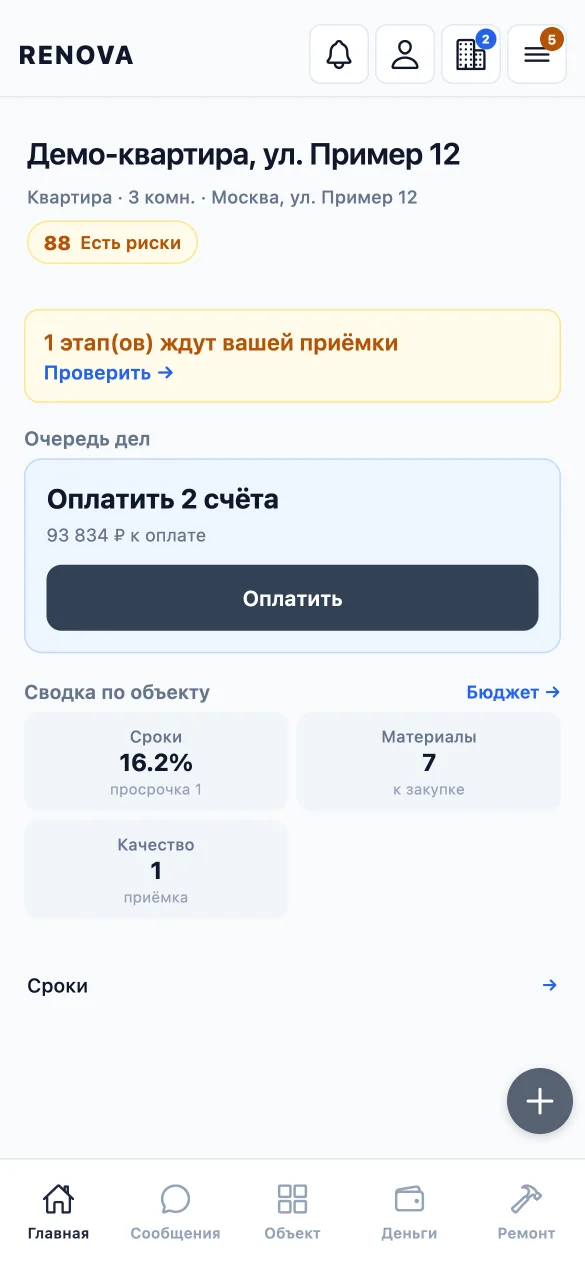

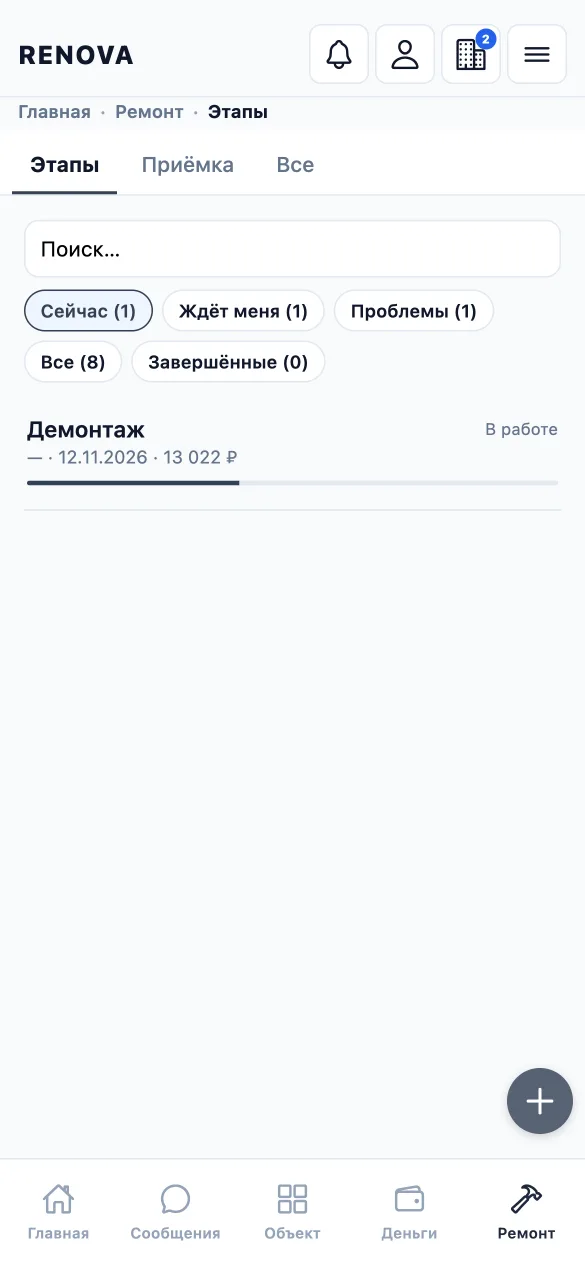
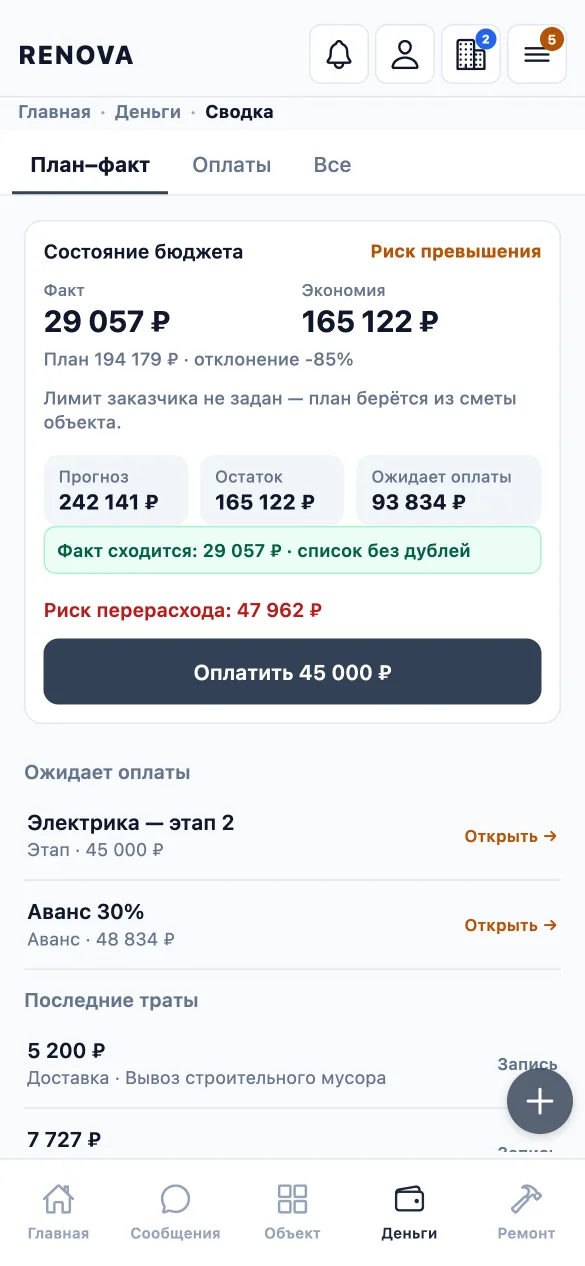
The video shows the earlier version, without the new approvals and payments.